A correct translation may still be the wrong search phrase
The most common multilingual-site mistake is to translate the existing copy and publish. People often search with outcome-oriented, everyday language rather than the feature name a product team prefers.
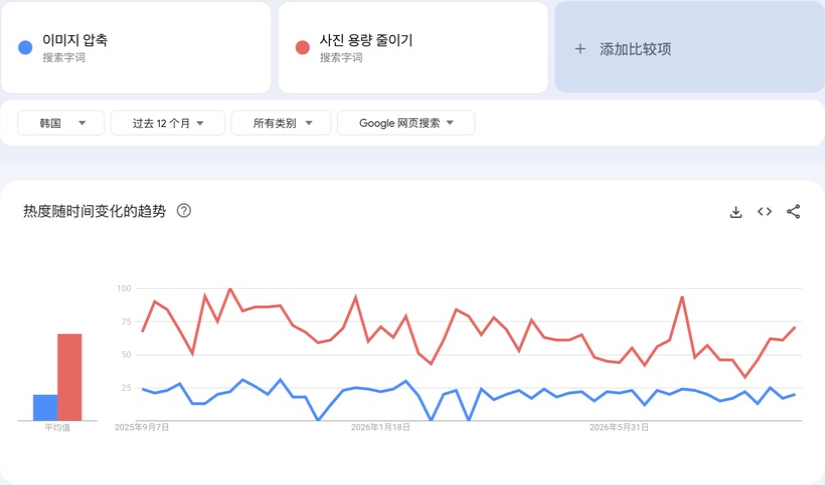
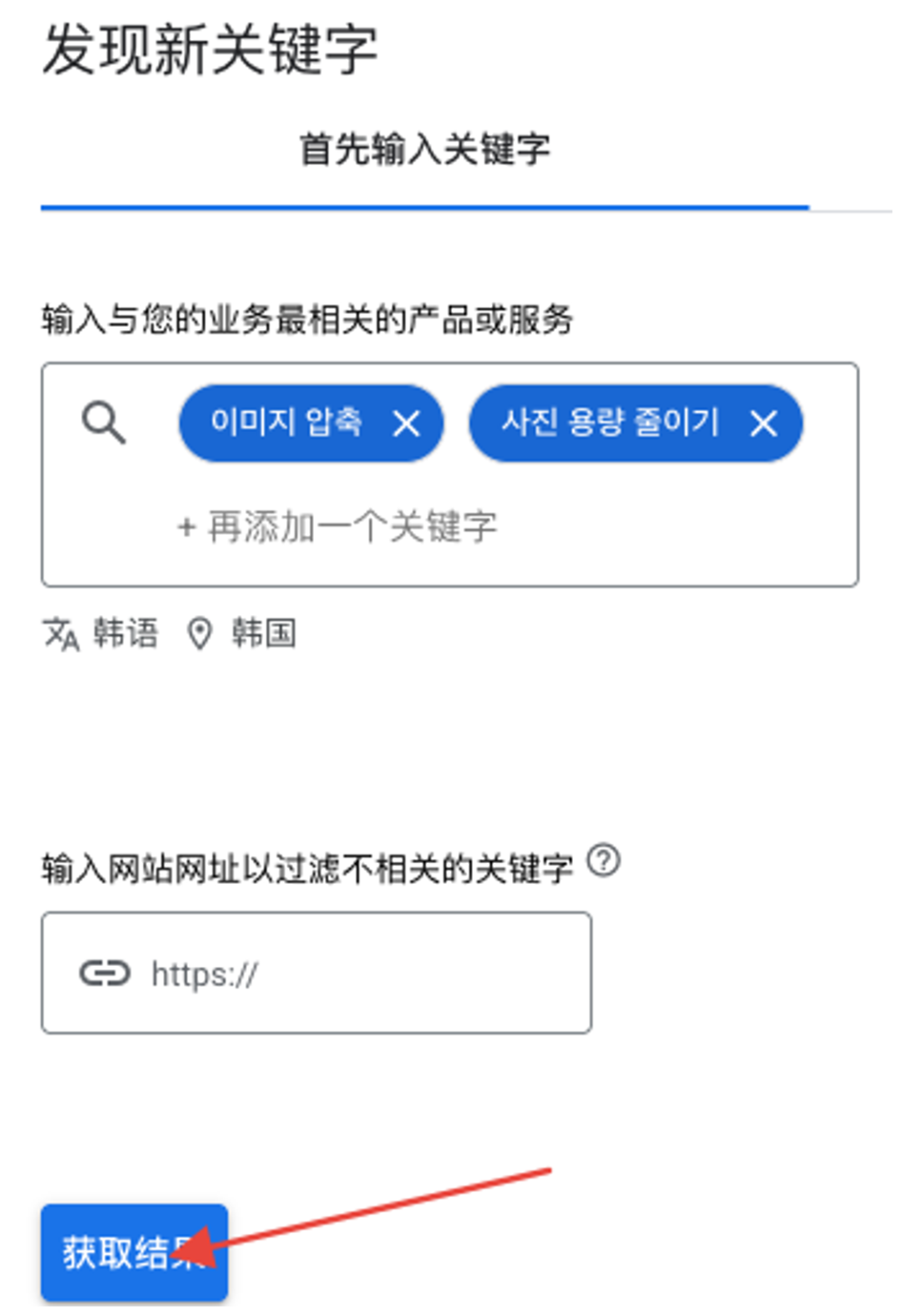
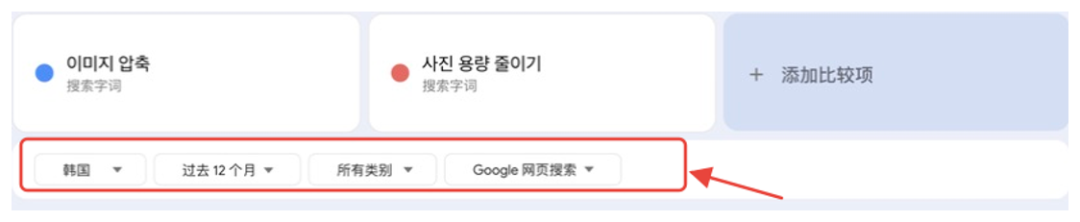
The source uses Korean image compression as an example: “이미지 압축” is close to “image compression,” while “사진 용량 줄이기” is closer to “reduce photo file size.” They point to a similar function from different intent angles and may carry different demand.
- Describe the job before translating the feature name
- Separate similar but distinct intents such as file size and dimensions
- Do not target a popular phrase that does not match the product capability
Step 1: generate candidates from the job
Write one sentence defining the problem, input, output, and excluded capabilities. Then ask AI for local-language candidate phrases with explanations. AI can widen the candidate set, but it cannot invent demand data or replace local-context validation.
Include both feature-led and outcome-led language. Do not research only “image compression”; also explore how users describe a photo being too large to upload or send.

Step 2: inspect how local pages speak
Set search region and language to the target market, keep pages in their original language, and inspect several result titles, H1s, and feature descriptions. The goal is not to copy the first result; it is to confirm that a candidate phrase describes the same job.
If local rankings matter, also verify the location recognized by the search engine and the network region. Without a consistent environment, results are useful for language discovery—not a precise ranking claim.

Step 3: compare demand under identical conditions
With an eligible Google Ads account, place candidates into Keyword Planner together and keep region, language, network, and date range identical. Confirm intent fit before comparing average volume or ranges.
Google Trends can compare relative interest, but candidates must share one chart, region, period, and query type—either all search terms or all topics. A separate 100 for each term is only that chart’s peak and cannot be compared across charts.
- Keep low-data phrases in a validation backlog
- Combine local pages and post-launch queries for new or low-volume language
- Record the tool, settings, and query date for every volume figure
Step 4: map the language to one useful page
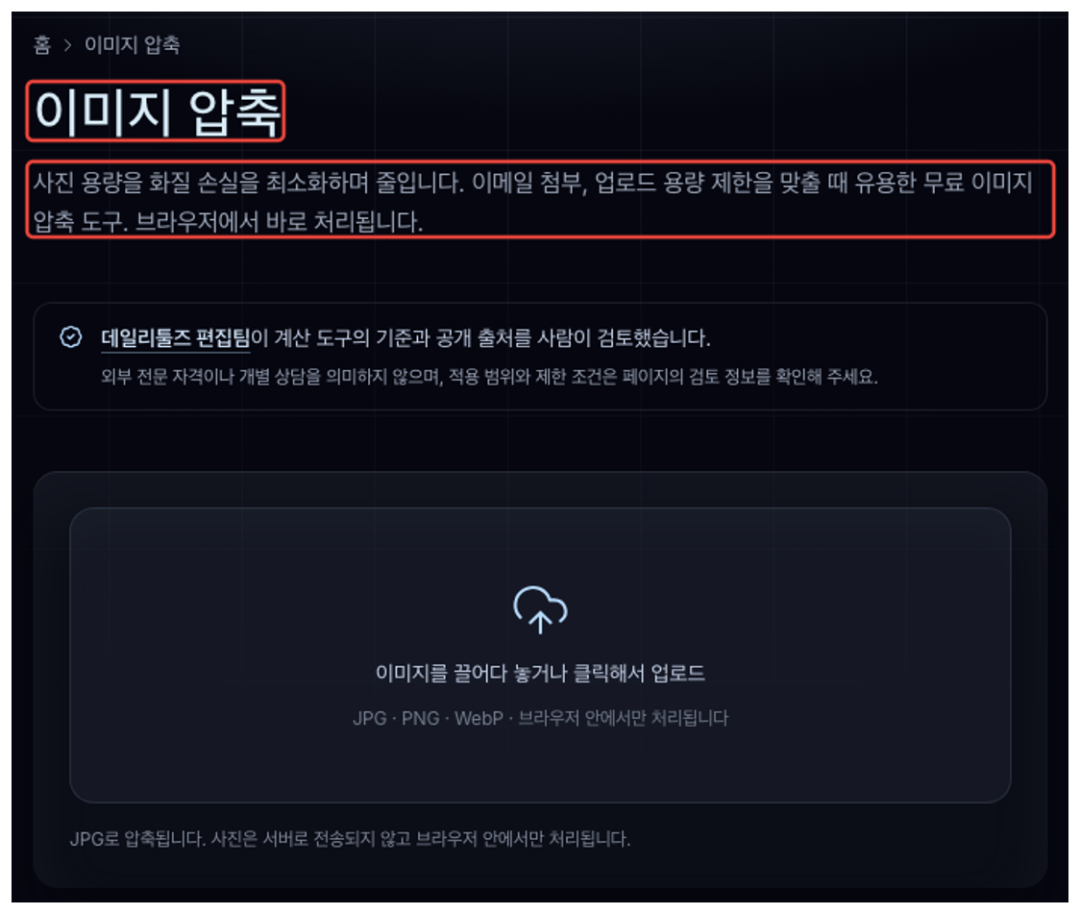
Place the primary phrase in the page title and H1, and use secondary language to explain features, formats, and situations. If two phrases serve the same job, do not create near-duplicate pages merely to target both.
Copy must reflect real product capabilities. An example mentioning JPG, PNG, or a download flow is not a license to copy those claims; remove formats and steps the product does not support.
Step 5: protect validated local language
Keep a compact record per language: candidates, meanings, reference pages, comparison settings, and placement. When English copy changes, do not let automatic translation overwrite local phrases that were validated or already earn search visibility.
Before and after a change, filter Search Console by language directory or exact URL and inspect real queries, impressions, and clicks. A short period without clicks does not prove a phrase is wrong; first observe which queries the page begins to cover.
- Candidate phrase and meaning
- Local pages and comparison settings
- Placement in title, H1, and body
- Post-launch Search Console query evidence